[support] 00037 Ensuring backup of data after rehost
Author | Ellis Douglas
Version | 1.0
Updated | 6th May 2026
Categories | [support]
Overview
An article detailing support on scenarios with rehosting/cloning.
Issue
When there is a rehost performed from Production server to Development server, it is expected that all data that was contained on the Development server will be lost. This is expected behaviour and will likely result in the loss of any workflows, attributes, templates and testing that were in development or ongoing.
The wex platform and subsequent extensions rely on the Database as the primary source, this is the same for Watermark Templates and Report Templates.
In order to ensure these templates will persist after a rehost, steps will need to be taken to backup and restore the data.
Solution
Automatic Method
The automatic method involves exporting the templates with IX Manager as extensions. You can deploy these extensions after a rehost.
To edit the templates again
In Report Manager
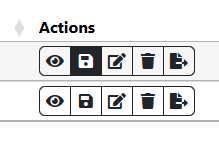
Use the Save As button to save a separate template:
In Watermark Manager
Download a copy of the template:
 Then create a new blank template and upload the .zip file just downloaded

Manual Method
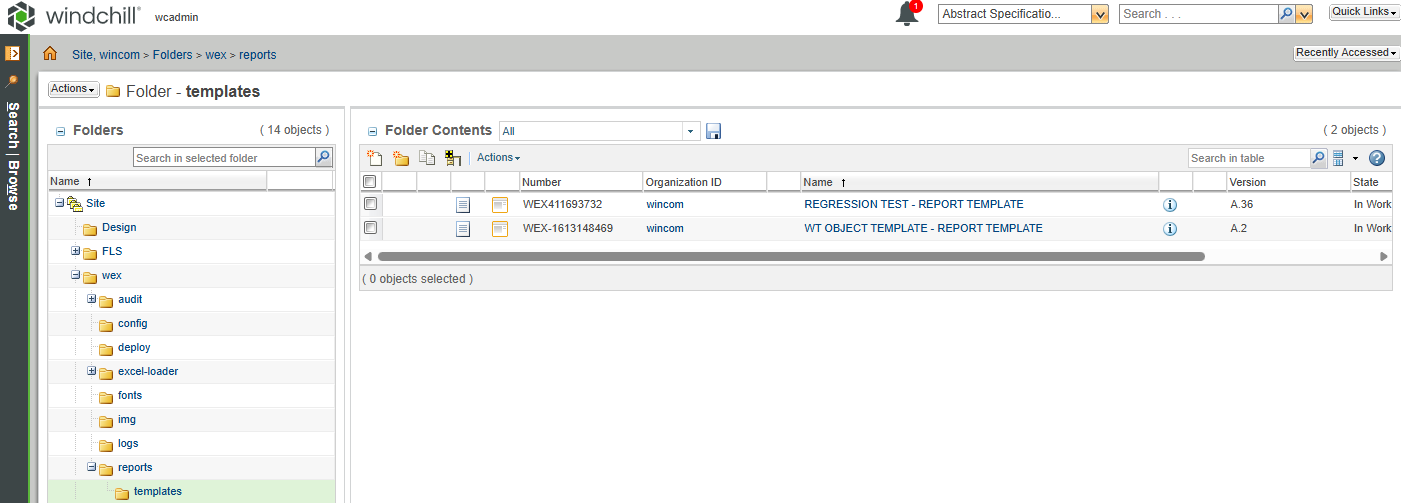
Find the templates in Windchill in Browse > Site > Folders > wex > reports > templates for Report Manager and wex > watermarking > templates for Watermark Manager.
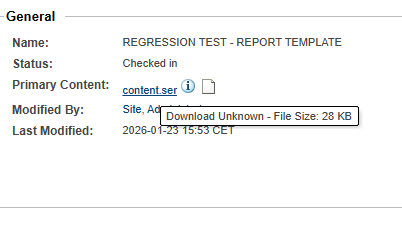
 View the objects and download the content.ser file, this file will contain the data for the template.
 After a rehost, you can create a template, using the above as an example, with the name “Regression Test”.
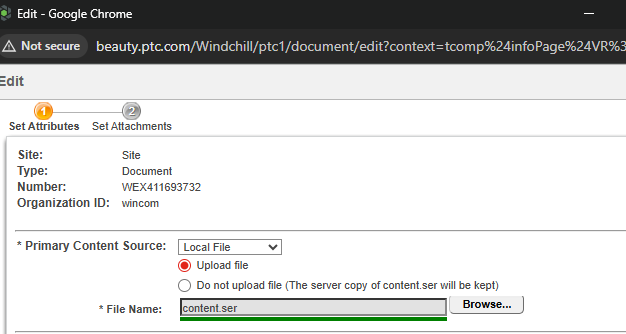
Then navigate to the object created in the templates folder and update the content with the content.ser file previously downloaded before the rehost.
After a rehost, you can create a template, using the above as an example, with the name “Regression Test”.
Then navigate to the object created in the templates folder and update the content with the content.ser file previously downloaded before the rehost.